


Support -> How To Delete a Staff Member
How To Delete a Staff Member
This guide will show you how to delete a staff member from your appointment scheduling program.
Step 1. Enter the "View Staff" Section
After selecting the "Staff" tab in the Settings page, select the "View Staff" option.

Step 2. Delete Staff
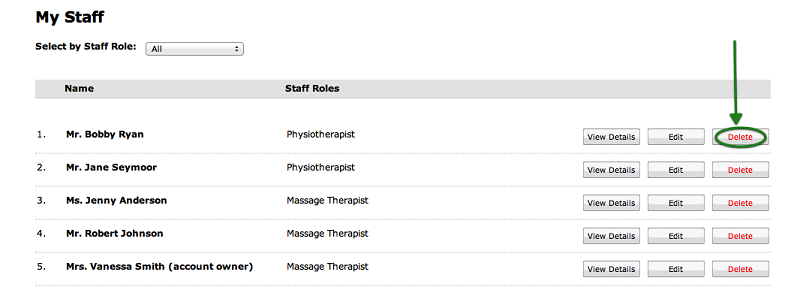
You may remove an employee simply by clicking on the "Delete" button next to the employee's name in the list.
Once you click on the button, a confirmation window will appear. Click on "Yes" if you really want to delete
the selected employee.
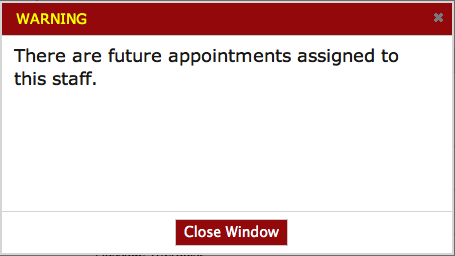
If the employee has upcoming appointments, classes or workshops remaining in his or her schedule, a warning
window will appear indicating that the employee has future appointments set: you will not be able to remove the
employee until his or her appointments are updated or cancelled.
The scheduling system will also check to see if any customers are currently waiting for an appointment with this
staff member. If yes, then you will have to update the waiting list before deleting this staff member.
© 2009 - 2019 calendarspots.com