


Support -> How to Invite a Staff Member to Use your Scheduling System
How to Invite a Staff Member to Use your Scheduling System
This guide will show you how to add and invite a staff member to use the online shared calendars.
Step 1. Select the Staff Member you Wish to Invite
When a new staff member is added to the software, an invitation email is automatically sent to that employee for validation.
If the employee does not confirm the email address within 7 days, the email will expire for security reasons.
A new invitation email must be sent. After selecting the "Staff" tab, under "View Staff" select the staff member
you wish to invite and click the "Edit" button.
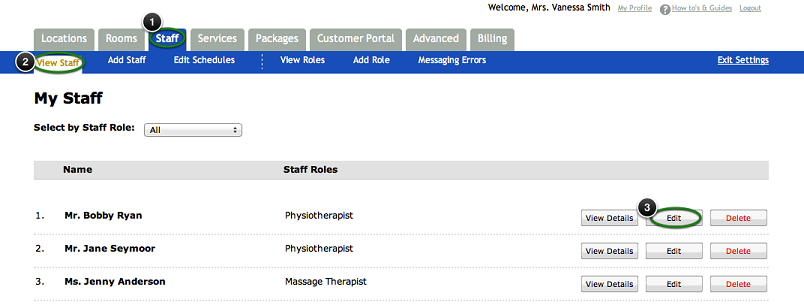
Note: If the employee you wish to invite does not appear in the staff list, simply add the staff member.
In the "Add Staff" section, follow the steps to add a new staff member to the list of users (see "How to Add a Staff Member" for further details).
Step 2. Invite the Staff Member
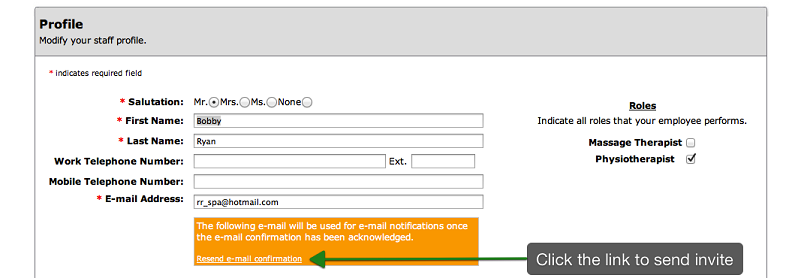
An orange box will appear under the staff member's email address. Click on the "Resend email confirmation" link
in the box. An automated email invitation will be sent. If the employee does not receive the email, please
ask them to check their spam folder.
© 2009 - 2019 calendarspots.com