


Our online scheduler and booking calendars allow you to manage your business with ease.
Our user-friendly online booking calendars allow you to efficiently manage your appointments, classes and schedules. While our flexible and customizable online scheduler lets your customers book appointments online and reserve spots for classes, workshops and other group events.

Learn how our online scheduling system works.

How Our Scheduling Software Works
Clients, Receptionists, Staff and Owners all connect to the scheduling software for maximum efficiency.
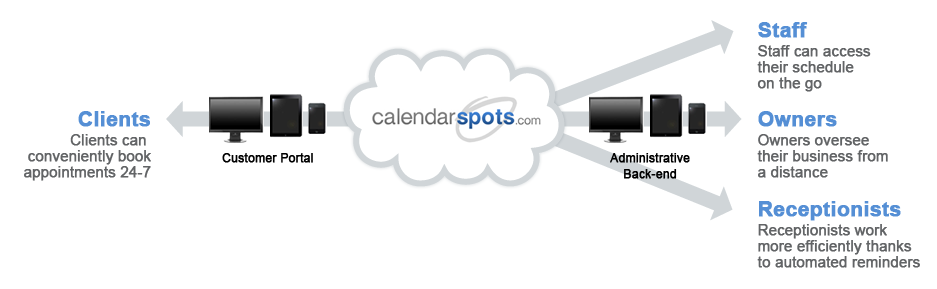
calendarspots.com is a web-based solution designed to simplify the appointment taking process.
The Customer Portal allows your clients to book their own appointments, online and on the go, from any
web-enabled device and in real time. The Administrative Back-end allows you and your staff to book appointments internally
as well as manage your client info, appointment history and work schedules from any mobile device.
Different staff user accounts can be created to control who can book, cancel, view and modify appointments.
Get Started Now
Our online scheduling software is simple to setup. Create an account.

Step.1 Configure Your Account
Our settings allow you a great deal of flexibility to fully personalize your account based on your unique
business needs. Add your services, rooms and staff schedules so that the software will be ready to be used by
employees. If you have multiple business locations, that's not a problem. Our software handles that as well.

Step.2 Enable Online Booking
Configure the appointment rules such as minimum notice and padding time requirements to allow customers to
book appointments online. Add a link to your personalized customer portal on your website and social media
pages to start accepting appointments online.

Step.3 Save Time & Make More Money
Our user-friendly booking calendars can be used by yourself or staff to book appointments from any computer or
mobile device. Staff and clients are notified of new, canceled and modified appointments by email or SMS.
You can also create reports and track customer purchasing habits by viewing their appointment history.
Many features to allow you to MANAGE your appointments
Learn more about our Features and Pricing.
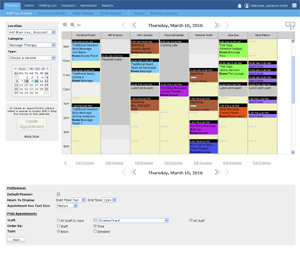
Day, Week and Month Planners
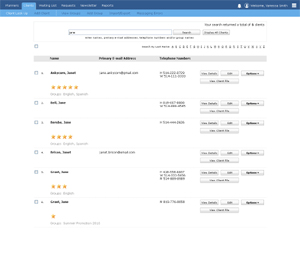
Client Profiles, History and Search
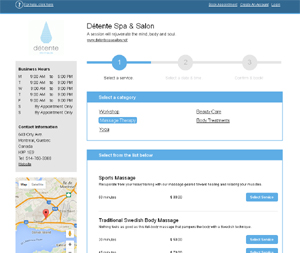
Online Booking
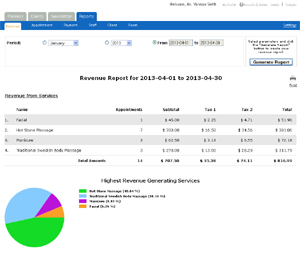
Reports & Dashboards
Your Data Is Important To Us
We take security seriously to keep you up and running.

Secure Encryption
When logged into your account, all data is transmitted over HTTPS. Even the customer
booking process is completed over a secure connection.

Backups Backups and more Backups
We backup your data to make sure no data is ever lost. We even have backups of our backups. In addition, the
system offers many ways to export your client and appointment data so you can keep your own copies of your
information.

Server Monitoring 24/7
We monitor our servers 24/7. Our uptime is 99.9% of time. In addition, we are very proactive and complete
the necessary upgrades needed to ensure our servers can handle our growing client base.
© 2009 - 2019 calendarspots.com